

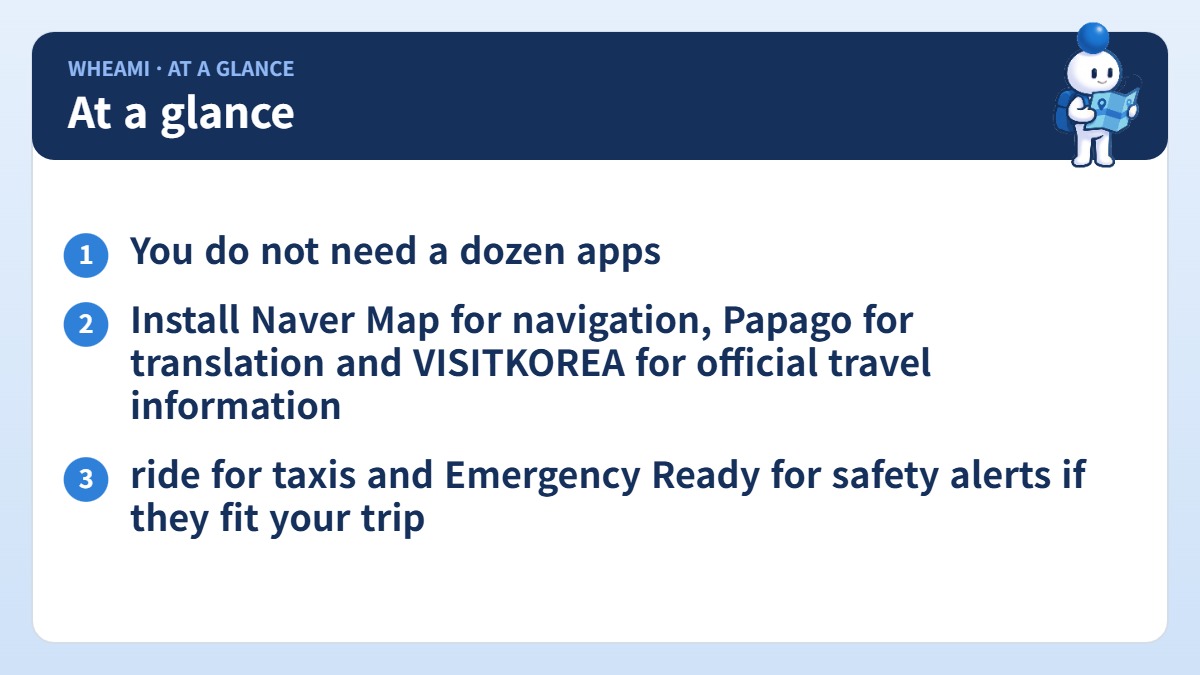
Quick answer: You do not need a dozen apps. Install Naver Map for navigation, Papago for translation and VISITKOREA for official travel information. Add Korail for intercity trains, k.ride for taxis and Emergency Ready for safety alerts if they fit your trip.
Install first
| App | What it does | Who needs it |
|---|---|---|
| Naver Map | Walking, cycling, driving and public-transport routes, travel times, business info, saved places | Almost everyone |
| Papago | Translation by text, image, handwriting, web page and voice | Almost everyone |
| VISITKOREA | Official Korea Tourism Organization (KTO) guide: destinations, events, itineraries, travel tips | Trip planning |
Local tip: If an English search does not find the place you need, try its Korean name in Hangul. Copy the name from the venue’s official website or your booking confirmation, then save the correct result. Also save your hotel, nearest subway station, and airport bus stop before your first day, and for large stations check the exact exit number, not just the station name.
Install if it fits your trip
Let’s Korail / Korail+ is the official KORAIL train booking site and app. The KTO says you can reserve and pay for tickets, including KTX and tourist trains. Do not assume one app covers every rail operator or service, so check the booking channel for your specific journey. If you plan to ride trains a lot, also look at the Korail Pass and check its current eligibility and terms before buying.
k.ride is a taxi service aimed at international visitors. The KTO says you can sign up with a phone number, email, Google or Apple account, pay with an overseas credit card or Alipay+, and use an in-car translator. See our Korea taxi guide for fares and tips.
Emergency Ready is a Korean government multilingual app. The KTO lists disaster alerts, shelters, emergency medical centers, police and fire stations, embassy information and safety guidance.
Seoul Bike (Ttareungi) is the Seoul city public bike service. You find stations and unlock bikes with a QR code. Payment options include a personal credit card or the foreigner-only Discover Pass. Check the current account and payment requirements before you rely on it.
Local tip: Test taxi app registration before you fly. Some visitors find that a taxi app’s phone verification does not work with their number, so keep a visitor-friendly backup such as k.ride.

Optional extras
Odii is a free audio-guide app for cultural and historical sites. Catchtable handles restaurant reservations and queue information; language support varies by restaurant. Shuttle Delivery offers English-language delivery in selected cities (Seoul, Pyeongtaek, Daegu and Busan). WOWPASS is a prepaid payment card with a transit function. It is optional and different from using your own bank card (see cards, ATMs and cash) or a standard transit card (see T-money vs Climate Card).
Local tip: You do not need every Korean app. Start with one reliable map app and a translation app, then add a taxi or train app only if your plans require it.
Good to know
- Some of these are government services and some are commercial. Features, languages and payment methods change, so read the app store listing before you rely on one.
- App availability can differ by country and device. Download from your official app store.
- Papago is helpful for everyday situations, but it is not a substitute for an official interpreter in legal or medical emergencies.
- 1330 Korea Travel Helpline is a phone line, not an app. The KTO lists support in English and several other languages.
- Download and set up your apps before you fly so you are not doing it on airport Wi-Fi.
What visitors report
These are individual accounts, and app details change by version and country.
- In March 2025 a visitor preparing a Seoul trip said Naver Map found shops more reliably when they pasted the Korean name than when they typed the English one. They also struggled to find accommodation by its address.
- In May 2025 a traveler reported that Naver Map supported English, Chinese, and Japanese, while some interface elements stayed difficult and searches did not always succeed.
- In May 2026 users in a travel advice thread repeatedly suggested Naver Map or Kakao Map for navigation and Papago for translation. Some also mentioned k.ride or Kakao T for taxis and CatchTable Global for restaurant bookings, and the choices varied by task and preference.
- In 2026 a group trip report described being unable to finish Kakao T registration with the available phone verification route, so they used k.ride instead. A commenter reported a different outcome.
Local tip: Sign-up can be a bigger obstacle than the download. Test each app’s registration and payment before you fly, and keep a backup such as k.ride or a hotel-assisted taxi booking.
The local view: how locals use apps
A Korean traveler normally switches between a map, a translator, a taxi app, a rail booking tool, and a reservation service, instead of expecting one app to do everything. The Korea Tourism Organization’s helpful apps page describes Naver Map’s route planning, estimated travel times, business information, and saved-place lists. For you, that means keeping a short list by task: a map app, a translator, a taxi option, and rail booking only if your plans need it. Do not say Google Maps is unusable, since place lookup and local turn-by-turn routing are different jobs, and check its current abilities yourself.
A short setup routine
- Install a map app and a translation app first.
- Save your hotel, the airport bus stop, the nearest subway station, and key sights in the map app.
- For a large station, search the exact exit number and check the walk from the exit.
- Download any offline language pack on Wi-Fi, but do not assume camera, voice, or conversation translation works offline.
- Add a taxi, train, or reservation app only if your itinerary needs it.
Local tip: Copy the Korean name from the venue’s official site or your booking confirmation, paste it into the map, and save the correct result for later.

FAQ
Do I need all of these?
No. Start with Naver Map, Papago and VISITKOREA, then add only what your itinerary needs.
Will the apps work in English?
The KTO lists English for the apps above, but language coverage varies by app and can change.
Is there a pre-trip checklist?
Yes. See our Korea trip preparation checklist.